AI Rap Song Generator — From Prompt to Full Track Workflow
Learn the complete AI rap song generator workflow: write a specific prompt, generate lyrics, pick a style, produce a full MP3 track, and export for sharing. Real tools, real data, no filler.
By AI Rap Creator Editorial
The AI music market passed $3.2 billion in 2026, and hip-hop/rap now accounts for 18% of every AI-generated track on the planet source. That’s roughly one in every five AI songs. I’ve spent the last few months testing AI rap generators end to end — from blank prompt to downloadable MP3. Here’s what works, what doesn’t, and the exact workflow that gets you a listenable rap track in under five minutes.
What You Need to Know
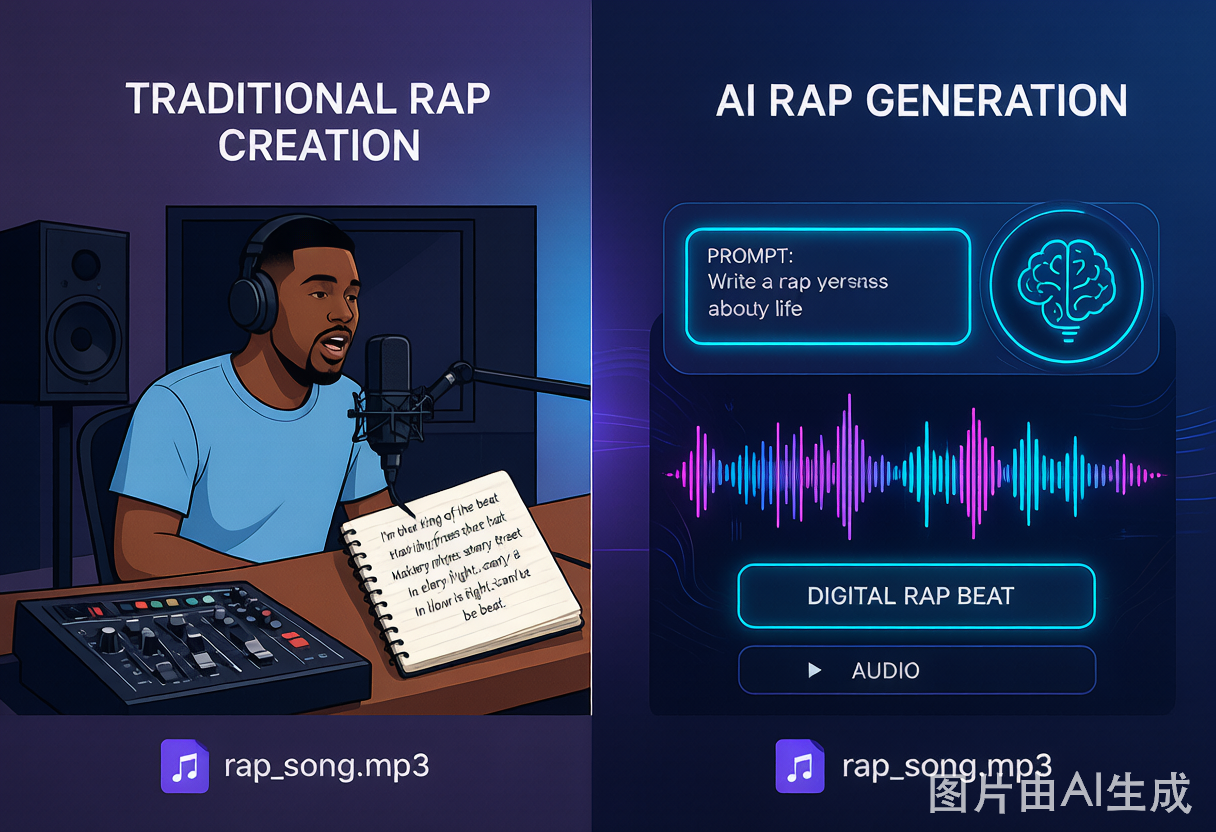
You don’t need a studio, a beat, or a single bar of writing experience. An AI rap song generator takes your topic and turns it into structured lyrics, selects a beat, generates vocal delivery, and renders a complete MP3 you can download. The practical goal is simple: generate rap tracks that sound intentional enough to edit, share, or use as demos.
Here’s what that looks like in practice: I typed “a song about closing the laptop at 2:14 a.m. after the first paying client finally replied” into AI Rap Creator’s full song generator. Two minutes later, I had two complete MP3 variations with different vocal timing and beat feels. One version sounded like a reflective Boom Bap track. The other leaned harder into Trap energy. Same lyrics, completely different emotional reads.
That’s not magic — it’s the result of a specific workflow that separates the lyric generation step from the audio generation step.
Key numbers worth knowing before you dive in:
- $3.2 billion: AI music market size in 2026, up from $2.2 billion in 2025 source
- 18%: The share of AI-generated tracks that are hip-hop or rap, making it the third-largest genre behind pop (28%) and lo-fi (22%)
- ~75,000: AI-generated tracks uploaded to Deezer daily as of mid-2026 source
- 2 credits for lyrics, 10 for a full song: The credit system on airapcreator.com. You edit lyrics before you spend the bigger batch on audio. This matters because a weak hook becomes a weak song no matter how polished the beat sounds.
How It Works: The Prompt-to-Track Pipeline
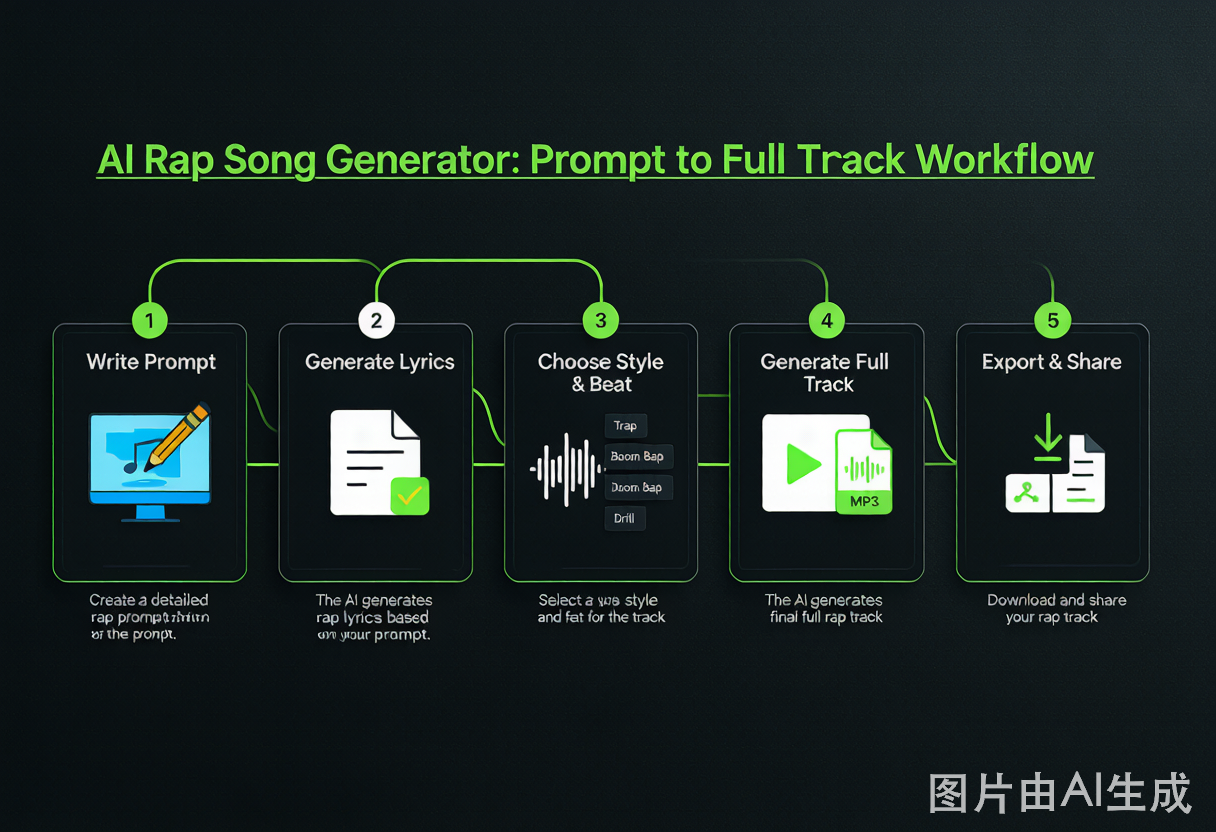
The workflow breaks into five deliberate steps. Skipping or merging any of them produces a worse result. I learned this the hard way.
Step 1: Write a Specific Prompt
Vague prompts produce generic output. “A rap about success” gives you motivational poster lyrics. “A verse about closing my laptop at 2:14 a.m. after the first paid client finally replied, tinny laptop speakers still playing in the dark, no one awake to tell” gives the AI a scene it can build around.
Concrete nouns matter more than adjectives. Include:
- Who it’s for (a channel, a friend, a live crowd, yourself)
- What happened (a specific moment, not a theme)
- How it should feel (one clear emotional direction)
- A boundary (clean language, no slang, no violent imagery)
Step 2: Generate and Edit Lyrics
Generate the full lyric structure before you think about audio. Look for a hook that can repeat without feeling awkward, and at least one verse line containing a detail only your prompt could produce.
If a line sounds clever on screen but unnatural when spoken aloud, rewrite it. Read every bar out loud. If you run out of breath, the line is too long. This mouth test catches more issues than any rhyme dictionary.
Step 3: Match Style to Purpose
Style choice should follow the job, not the trend. Here’s a quick reference:
- Trap (130-145 BPM): Hard 808s, hi-hats, dark energy. Best for confidence, pressure, modern punch.
- Boom Bap (85-100 BPM): Classic drums, soulful samples. Best for dense writing and storytelling.
- UK Drill (140-150 BPM): Sliding bass, tense syncopated flow. Best for intensity and urgency.
- Lo-Fi (70-90 BPM): Chill, mellow, jazzy vibes. Best for reflection and personal narratives.
- Drill: Harder, more aggressive energy than UK Drill. Modern street sound.
Picking Trap for a reflective personal story is like scoring a documentary with dubstep. The AI will obey — but the result won’t land. Match the style to the listener’s expectation.
Step 4: Generate and Compare Variations
Song generation on AI Rap Creator produces two MP3 variations from the same lyrics. Vocal timing and beat feel differ between them, which means one version almost always reads the emotional intent better than the other.
Listen to both. Pick the stronger one. If neither works, the problem is usually the lyrics — shorten long lines, tighten the hook, or add a more specific detail to the prompt.
Step 5: Export and Use
Download the MP3. At this point, decide: is this a private demo, a social media clip, or something heading toward a release?
For social clips, keep the hook short enough to land in the first few seconds. For paid releases, treat the output as a demo — consider additional mastering, check lyrics for originality, and document your prompt and edit history. The US Copyright Office ruled in 2025 that material created entirely by AI cannot receive copyright protection. Human contribution — rewriting bars, re-recording vocals, altering arrangement — strengthens your legal position.
AI Rap Generator Comparison Table
Not all tools focus on rap. Some generate full songs with vocals, others produce instrumental beds or MIDI ideas. Here’s how the main options stack up for rap creation specifically.
| Tool | Rap Capability | Vocals | Stems/Export | Starting Price | Commercial Use | Best For |
|---|---|---|---|---|---|---|
| AI Rap Creator | ⭐⭐⭐⭐⭐ | Style-matched AI vocals | MP3 (2 variations) | 10 free credits | Check terms | Full rap tracks from prompt, lyric-first workflow |
| Splash Pro | ⭐⭐⭐ | Pop/Hip-Hop vocals | Stems export | $7/mo (Pro) | Paid plans only | Vocal-led pop and rap, stem-friendly |
| Kits.AI | ⭐⭐ | Licensed voice models | Voice models only | $10/mo | Paid + own voices | Vocal swapping, licensed AI voices |
| Lemonaide | ⭐⭐ | No | MIDI export | $8/mo | Yes | MIDI melody/beat ideas for producers |
Data compiled from plaimusic.io 2026 comparison guide and firsthand testing. Pricing accurate as of June 2026.
The most important distinction: general-purpose AI music generators can do rap, but they are built for every genre. AI Rap Creator is purpose-built for rap — the lyric-first workflow, rap-specific style labels (Trap, Drill, Boom Bap, Lo-Fi, Old School, Mumble, Conscious, Freestyle), and the two-variation comparison step are designed specifically for how rap tracks are structured.
Common Mistakes (I’ve Made Most of These)
Let me save you the dead ends I hit:
Generating audio before editing lyrics. A bad hook becomes a bad song. Fix the words first. The lyric editing step exists for a reason — spend your 2 credits on lyrics, edit until the hook works, then spend 10 on the full track.
Using artist names in prompts. “Make it like Drake” or “Snoop Dogg style” triggers blocks on many platforms and creates copyright risk. Describe attributes instead: “melodic hook with vowel extension,” “laid-back West Coast delivery,” “aggressive triplet flow.”
Picking the wrong style for the subject. A breakup story set to Drill sounds disconnected. A confidence anthem in Lo-Fi loses energy. Think about where someone would actually hear this track and match the style accordingly.
Treating the first output as final. The first generation is rarely the strongest. Generate multiple variations. Compare the two MP3 versions. If neither works, the issue is usually the lyrics or the style match — not the generator.
Skipping the mouth test. A rhyme that reads clever can sound unnatural when spoken. If your tongue trips over a line, the listener’s ear will too. Read every bar out loud before committing to audio.
Assuming AI output is yours to release. Check the license of the tool you used. AI music cannot receive US copyright registration without meaningful human authorship. For a private demo, the default output is fine. For a public release, rewrite bars, add your own ad-libs, and keep records of your edits.
Expert Tips for Better AI Rap Tracks
After generating hundreds of tracks across multiple tools, here’s what consistently produces better results:
Specificity beats complexity. “A song about losing a friend after an argument about money at a Waffle House at 3 a.m.” will always outperform “a song about betrayal and trust.” The AI doesn’t need you to describe emotions — it needs concrete scenes to build around.
Generate, then curate — don’t polish version one. Professional producers using AI generate 3-5 variations of the same prompt, then pull the strongest 8-bar section from any version as a seed for the next round. This is how you escape the “first draft sounds okay but fundamentally bland” trap.
Style labels beat style descriptions. Picking “Trap” from a dropdown gives the generator a specific production template. Writing “make it sound modern and hard-hitting” gives it a vague vibe. Use the style system.
BPM matters more than you think. Trap at 130 BPM feels different from Trap at 145 BPM. Boom Bap at 85 BPM has more space for lyrics than Boom Bap at 100 BPM. When a track feels rushed or sluggish, the tempo — not the lyrics — is usually the problem.
Humanize with imperfection. Real rap performances have breath breaks, slight rushing on certain bars, and natural variation. A perfectly quantized AI vocal sounds sterile. Some tools let you add “include natural breath breaks between bars” or “slightly rushed delivery on the second half of bar 4” to prompts. Use these.
Use AI as a pre-production accelerator, not a finished product. The highest-ROI use for AI rap tools is compressing pre-production time: draft lyrics, test flow against different beats, create reference tracks for collaborators, and generate demo vocals before hiring an artist. A $10-30/month subscription replacing $150-500 per ghost-written track changes the economics of trying ideas.
FAQ: AI Rap Song Generator Common Questions
Can an AI rap song generator create full songs with vocals? Yes. AI Rap Creator and general-purpose AI music generators produce complete tracks with beat, vocal performance, and mixed audio output. AI Rap Creator specifically separates the lyric writing and audio generation steps so you can edit the hook and verses before committing to the more expensive song generation.
How long does it take to generate a full rap track? Lyrics generate in seconds. Full song generation takes roughly 1-2 minutes depending on queue conditions. The editing step — tightening hooks, reading bars out loud, choosing between variations — is where most of your time should go.
Can I use AI-generated rap songs commercially? Check each platform’s license; for AI Rap Creator, see the terms. US copyright law does not protect 100% AI-generated content — you need meaningful human editing to strengthen your ownership position. Document your prompts, edits, and rewrites.
Why does my AI rap sound generic? Generic output almost always traces back to a generic prompt. “A song about success” produces exactly what you’d expect. “A song about the first time I saw my name on a contract I wasn’t sure I deserved” gives the AI something specific to work with. Concrete nouns, specific moments, real places.
What export format should I look for? MP3 is the minimum for sharing and demos. WAV is better if you plan to do additional mixing or mastering. Stems (separated drums/bass/vocals) matter if you’re handing the track to an audio engineer. AI Rap Creator provides downloadable MP3 variations with the mix baked in — fine for demos, social content, and personal use.
Do I need musical experience to use an AI rap generator? No. The tools handle beat selection, vocal synthesis, and mix. Your job is the creative direction: what story to tell, what style fits, which variation sounds better. If you can describe a song idea in a sentence, you can use these tools.
Is it legal to share AI rap songs on YouTube or Spotify? Yes, as long as your platform license permits it and you aren’t imitating specific artists or reproducing existing copyrighted lyrics. YouTube updated its AI content policy in 2025 — tracks with “no discernible human input” may face restricted distribution or demonetization. The safest approach: use AI for the first draft, then add your own writing, performance, or production before publishing.
For the lyric-first AI rap workflow — where you edit the hook and verse before generating any audio — start with the AI Rap Song Generator. If you want to draft and edit the words before creating audio, use the AI Rap Lyrics Generator.